What kind of pioneer are you?

On July 24th Pioneer Day is celebrated as a state holiday in Utah. In 1847 the first LDS (Mormon) pioneers entered the valley of the Great Salt Lake.  The Pioneer Overland Travel database at LDS.org has an introduction which reads:  “Between 1847 and 1868, Mormon emigrants traveling in more than 300 companies departed from various places and headed for the Salt Lake Valley. More than 60,000 LDS Church members traveled in these companies — some traveling by foot, some in wagons, and some pulling handcarts.”

Check out this database if you have Mormon pioneer ancestors, and you will find them listed with other family members and rosters of entire pioneer “companies” (the group they traveled with); you might find journal excerpts from individuals they traveled with, letters, and other valuable source material connected to their trek.  Here is what an entry looks like – note the wonderful source references:
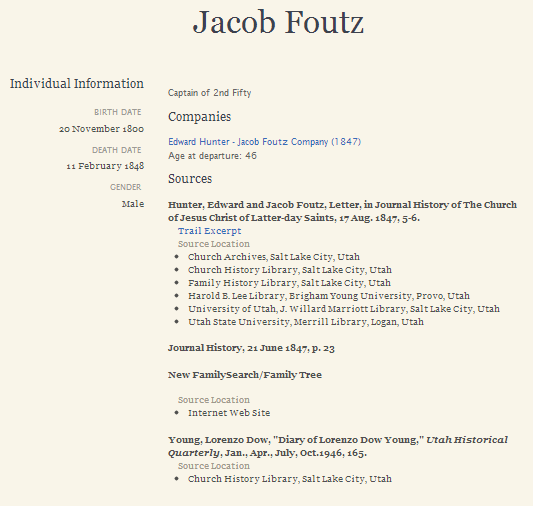
Jacob Foutz entry
Pioneer Overland Travel Database at LDS.org, entry for Jacob Foutz

Notice the blue link to “Trail Excerpt”.  Click it and you will see a letter written to Brigham Young from Edward Hunter and Jacob Foutz, leaders of a particular pioneer company:
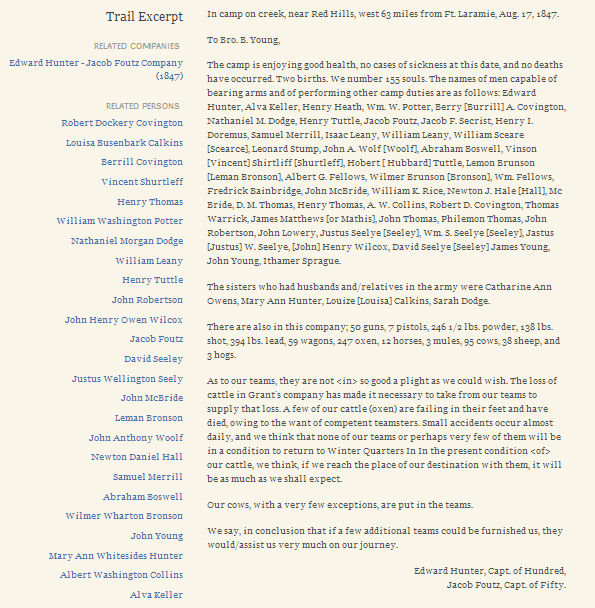
Edward Hunter and Jacob Foutz letter to Brigham Young, 17 Aug 1847

Finding a name in the database is just the start of your research.  Be sure to follow up with the sources named, and tap into the Journal History of the Church,  Selected Church History Manuscript Collections ( I found some great information in Brigham Young’s Letterpress Copybooks regarding dealings with Native Americans in NE Arizona), and General Church Minutes 1839-1877. Those are some of the primo resources at LDS.org.

Of course there are a zillion sources I could direct you to for early LDS research, but I will just direct you to the Research Wiki link for Tracing LDS Ancestors and you can take it from there.

I created a fan chart and color-coded it to show my children how many Mormon Pioneer ancestors they have.  Red=crossed the plains with a Mormon pioneer company, Blue=Mormon, but not part of a pioneer company:
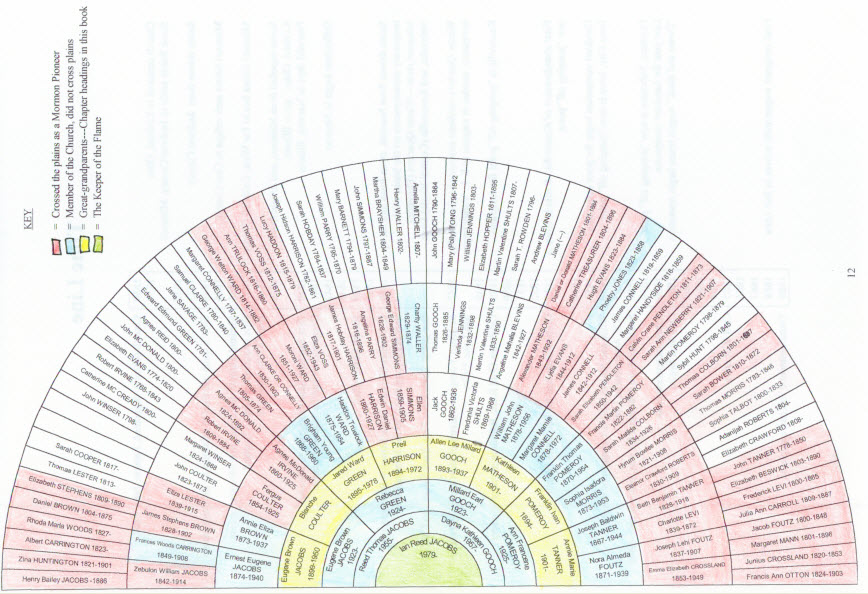
Pioneer ancestors of the children of Reed and Dayna Jacobs
Pioneer ancestors of the children of Reed and Dayna Gooch Jacobs

My Gooch line is full of pioneers as well, but their records will not be found in the Pioneer Overland Travel database above, since they were not Mormon.

I owe everything to my pioneer ancestors, and I have loved learning about them as I have researched their lives, and I love them even though I have not yet met them.  I hope my children can get a sense of who they are from looking at this chart, and cherish their roles as the “keepers of the flame.”  I think we can all discover something about ourselves that qualifies us as a pioneer – taking a path that nobody has trod before – whether it is with a covered wagon or with our lives. Happy Pioneer Day to you all!
Wild West Digitized: Arizona records

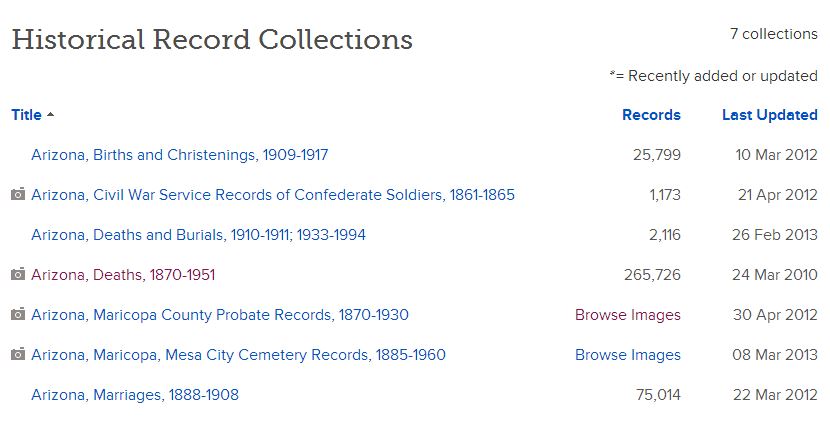
This is second in a series of posts about the digitized records available at Familysearch.  I hope you’ve had a chance to explore the California records I listed, and that you made some new discoveries.  So far, there are only 7 collections of Arizona records, but they include some essential ones:

Arizona digital collections at Familysearch as of 18 Jul 2013

Arizona Deaths, 1870-1951 is not as current as the database online at genealogy.az.gov because the Familysearch source is microfilm, and the genealogy.az.gov source is the government records which are added to each year (50 years back due to privacy). However, if you are looking for someone in that range, you will get an image of their death certificate in Arizona Death, 1870-1951:

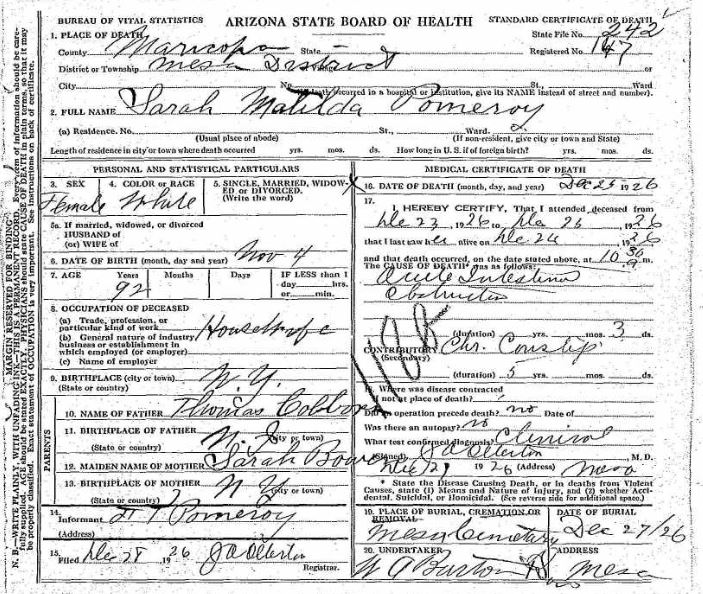
AZ death certificate
Sarah Matilda Colborn (Pomeroy) death certificate, 1926

Here is the death certificate of my ancestor, Sarah Matilda Colborn who was married to Francis Martin Pomeroy. It’s nice to have a vital record for someone born in 1834.  If you found a death certificate for someone who died in the 1870s you could conceivably have direct evidence of a birth date in the 1700s.  (Of course it would be secondary vs. primary direct evidence, but still – not bad!) And who wouldn’t want to discover or verify an individual’s parents’ names—especially the mother’s maiden name? There’s nothing like a good death certificate to thrill a genealogist, and to get you back another couple of generations on your pedigree chart!

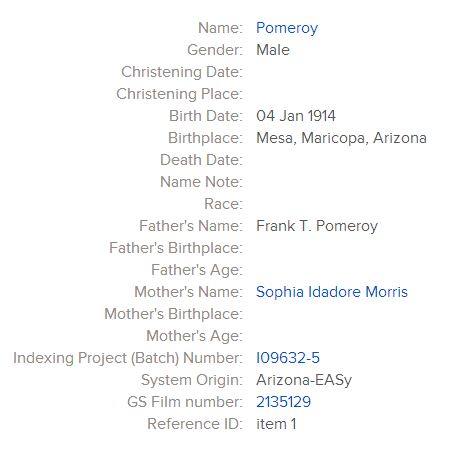
Here is a record from Arizona, Births and Christenings, 1909-1917 for a child born to Sophia Isadore and Frank T. Pomeroy in 1914:

Arizona Births and Christenings, 1909-1917

While this is an abstract rather than an image, it does give a film number for further reference.  Also, the record collection pre-dates Arizona statehood (1912) by 3 years, which is notable.

So all you folks with Arizona roots, have at it!  I know I’ve already found a bunch of records I need to connect to folks in my Family Tree.

Wild West Digitized: California records

Records for the Western States are being digitized and put online at a rapid pace, and it is an exciting time to discover more about your Wild West ancestors.  Familysearch (www.familysearch.org) is leading the charge in access to free records. The content comes from over 3 million microfilms at the Family History Library in Salt Lake City.

I will be posting lists of records they have made available for Western States research, but check back often because each week new collections come online. Here are some great resources for California research:

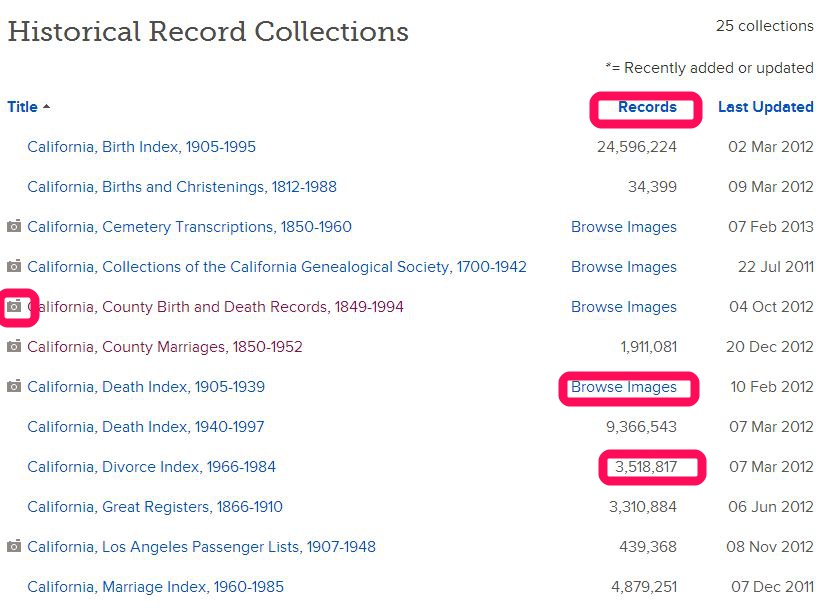
California Records on Familysearch.org as of 17 Jul 2013
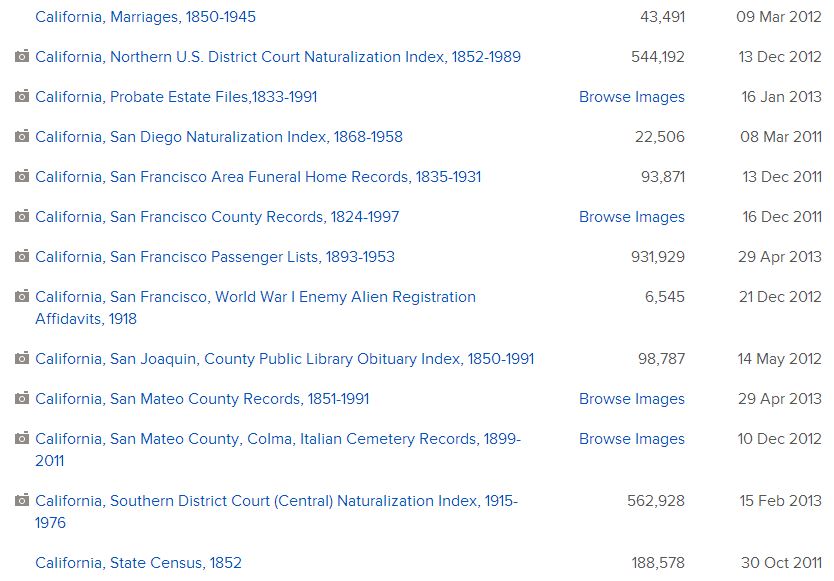
California collections at Familysearch.org as of 17 Jul 2013

A camera icon means a digital image of the actual record is available.

“Browse Images” means the collection has not been indexed yet, but it can be searched. Don’t let that scare you off.  The collections are usually organized in a way – alphabetically or chronologically – that helps you find what you are looking for.

A number in the “records” column means the collection has been indexed and is searchable through the search template.

No camera icon means there are no digital images of actual records, but you will see an abstract of most pertinent information contained in the record.

And here’s a tip for you:  Click on the column headings to sort by

1) Title

2) Number of records in the collections

3) Date the collections were updated

This is handy if you just want to know when the latest additions to the collections were made, or what is completely new.  You can also see which collections are the largest and which have recently been indexed.

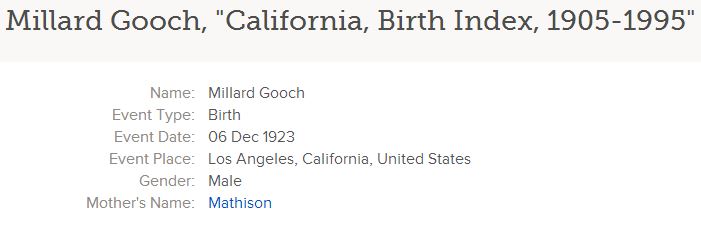
One of my go-to collections for California is the California Birth Index, 1905-1995, because it provides the mother’s maiden name:

California Birth Index, 1905-1995, on Familysearch.org, Millard Gooch entry

I also like the California Death Index, 1905-1939.  Did you know Ancestry.com only has the CA Death Index, 1940-1997?  Most people don’t realize the Familysearch record goes all the way back to 1905.  It is not indexed yet, but is arranged alphabetically.  Here is what it looks like:

CA Death Index, 1905-1939, on Familysearch.org

And Matilda Lurch is nearly as good a name as Millard Gooch, don’t you think?  Good thing they didn’t marry!

To find these records on Familysearch.org, click on “Search“:

FS records search

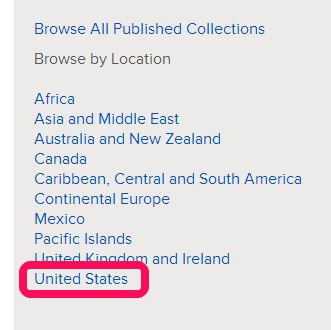
And at the bottom of the page click on “United States” and then California:

FS records search 2

Stay tuned for lists of other states’ digitized records found on Familysearch.  I know I have been blogging a lot about FS recently, but there is a lot going on there I want to share with you. Ahhh, so much to learn!

Give Familysearch Family Tree Photos a Try

So have you tried out Familysearch’s Family Tree since my last post?  I hope you have started (or discovered!) your family tree.  If so, now you can start to add photos to your tree.

Familysearch 1

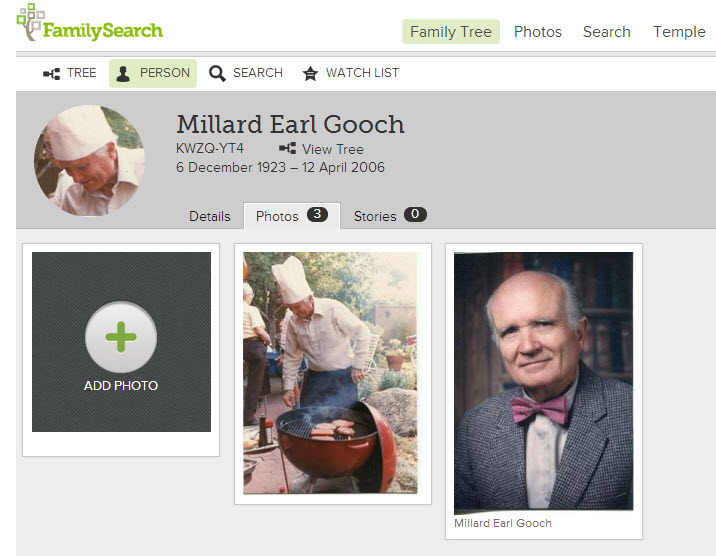
It’s easy to add photos, tag them, and share them.

Familysearch 8

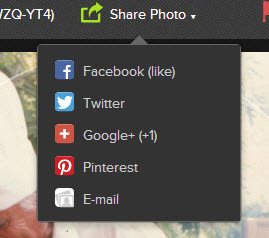
You can select a photo and share it in a variety of ways…

familysearch 9

I like how you can add stories about a photo and record details, too.

Familysearch 6

What makes this extra valuable is when someone who shares ancestors on your tree adds a photo to their tree, it shows up on yours.  I would love to find a photo with a story attached when I open my tree!

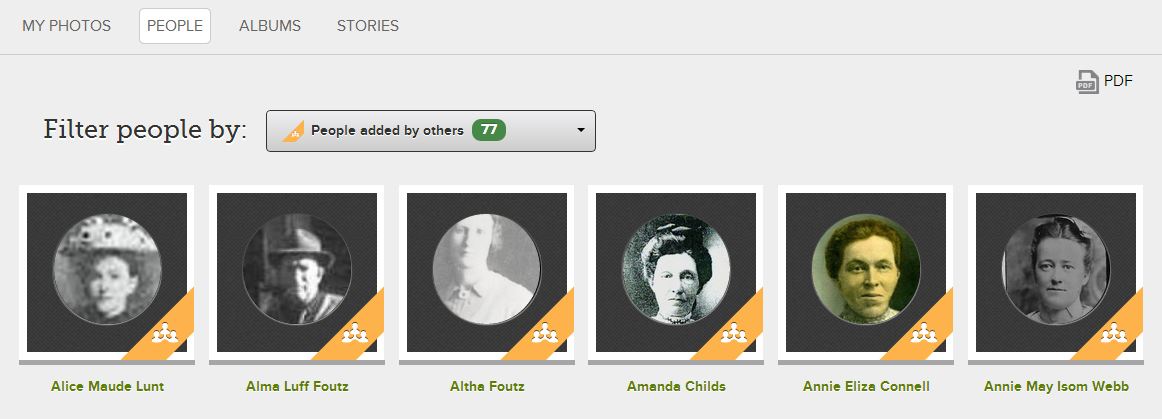
And this is a fun feature…”Find photos of your ancestors”.

Familysearch 11

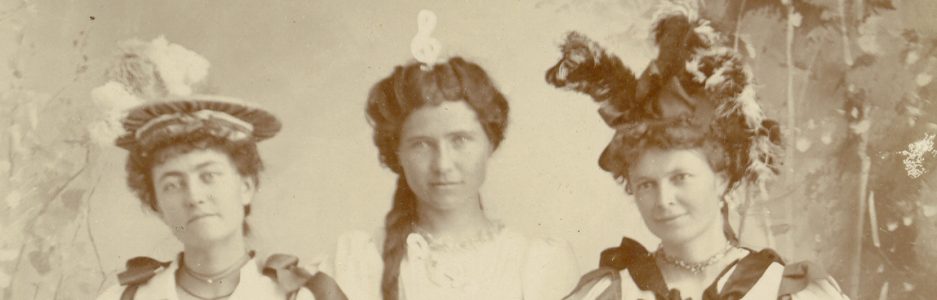
Click on it and see a gallery of photos submitted by others:

Familysearch 14

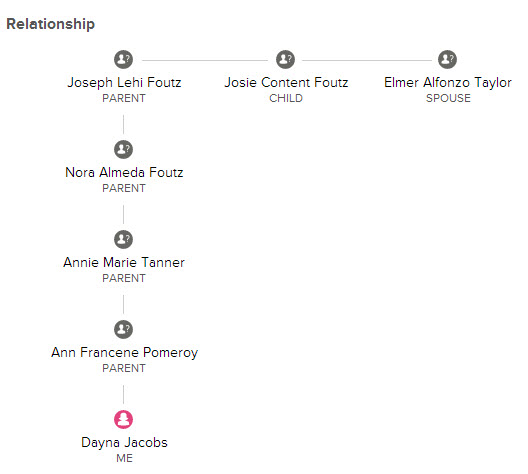
If you see a picture of someone you don’t know named Elmer, just click on Relationship and it will show you a little chart that illustrates he is the husband of your great-great grandfather’s daughter:

Familysearch 13

So there are just a few reasons for you to try out the “photo” feature of Familysearch’s Family Tree.  Give it a try and let me know what you think!

Do you have a Family Tree on FamilySearch.org?

Create a Family Tree on FamilySearch.org

This year FamilySearch unveiled the newish Family Tree, available on FamilySearch.org.  I say newish because it was available in a clunkier beta version, but not for the general public. Now everyone can have one, and it’s FREE (forever).  Go ahead and register on FamilySearch, and start your tree today.

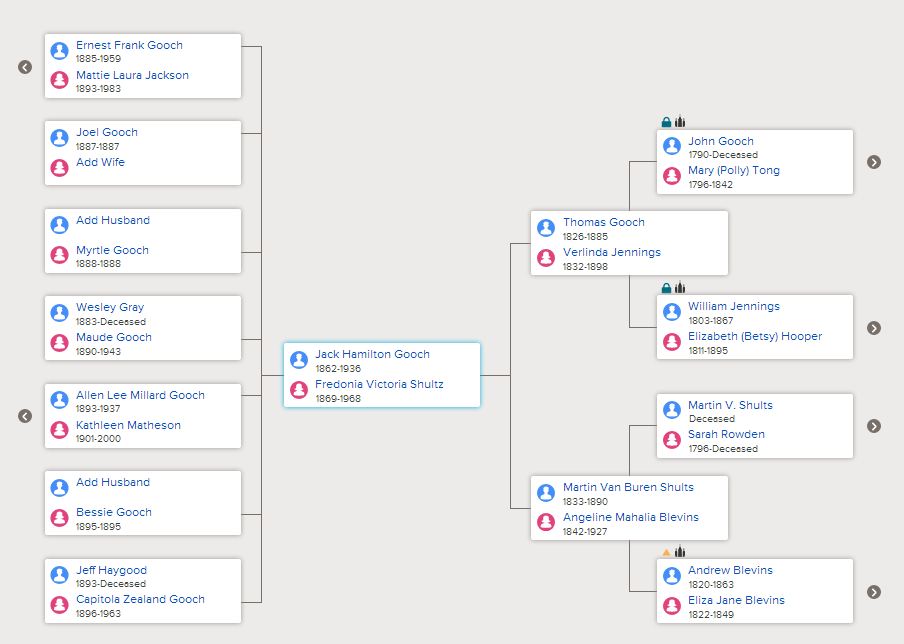
FS Family Tree
This shows my great-grandfather in the center, but you can view it with anyone in your tree as the center. Descendants (children) are on the left, and ancestors are on the right. Click the little arrows to expand the generations.

If you are LDS and you log in with your LDS Account you will be surprised to see your family tree already exists!  If you are the only person in it, it may be because your parents are still living.  As soon as you connect someone who is deceased to your tree, everyone connected to them in the database will populate your tree.  It’s pretty awesome, actually.  If you are related to me, and you connect to my tree, everything in my tree will populate yours.  In other words, my siblings are in LUCK!

I love the fan chart feature:

FS fan chart
Just click on any name to make it the center of the fan chart. See at a glance which of your lines need work. Notice the blanks?

Why should you create a Family Tree if you already have a tree on another site, like Ancestry.com? 1. It’s free, 2. You can connect any historical record on FamilySearch to any individual in your tree, 3. It is set up to be collaborative – anything your cousins add will show up on your tree. 4.  You can easily add and share photos and stories, including the ability to email or post on social media sites, 5.  It is the easiest way you will ever find to share your genealogy with your children and grandchildren (unless you think they will actually want your boxes of stuff).

Some people don’t like the collaboration feature, but I say that is what trees on other sites are for.  This tree is meant to be a group effort, and I will be happy to see records, photos, and stories appear on my tree when they are added by cousins.  I don’t want to duplicate anyone’s research, and want to give others a leg up on their research by adding my research to the tree.

Stay tuned for a glimpse at the Photos and Stories feature on Family Tree… you will like it a lot!