As you browse online catalogs for libraries and archives, create a ‘to do’ list of sources to search during your next visit to the repository. Learn how to use the Evernote Web Clipper for your next research project in my practical and quick tutorial.
Author: Dayna Jacobs - "On Granny's Trail"
I am an Accredited Genealogist® professional living in California. I have been researching and teaching since 1988.
Quick Video Tutorial: Finding online links to genealogy records for each state
Links to Online Genealogy Records for Each State
I love the FamilySearch Research Wiki for many reasons. One of them is the page titled “United States Online Genealogy Records.” This is a page with a link for each state page—pages which have neatly organized links to online genealogy records. It also has a few other links to pages with general U.S. records as follows:
- United States Online Genealogy Records
- United States Immigration and Naturalizations Online Resources
- United States Immigration Online Genealogy Records
- United States Military Online Genealogy Records
- United States Naturalization Online Genealogy Records
- United States Websites
- African American Online Genealogy Records
- American Indian Online Genealogy Records
- LDS Online Genealogy Records
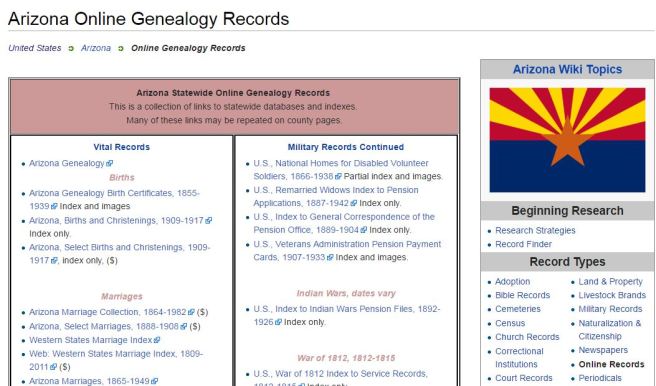
If you like the idea of an entire page full of links to [insert favorite state name here] all neatly organized into familiar categories like births, marriages, deaths, archives and libraries, biography, cemetery, census, compiled genealogies, directories, history, military, and—well, you get what I’m saying—then you are going to love these state pages. Just take a look at the full page of Arizona links. Be sure to also check out the box titled, “Arizona Background” and its links for Biography, Gazetteers, History, Maps, Migration, and “For Further Reading.”
These are not just links to databases on FamilySearch, but links to fee-based websites, as well. The good news is that the fee-based websites appear to be those that patrons of LDS Family History Centers have access to at no charge, like Ancestry.com. The majority of links appear to be free, and are from the FamilySearch digitized collections.
Since the FamilySearch Research Wiki can be edited by anyone, presumably these pages with online links will be updated as new ones become available and alert Wiki contributors add them.
A New Adventure: Publishing My First Video Tutorial

Well, I guess you are the first to know…On Granny’s Trail has gone “video.” Today I published my first online video tutorial, titled, “Finding Libraries and Archives with WorldCat and ArchiveGrid.” I hope to provide a link to my tutorials here after I create a few more.
Probably won’t break any box office records and most certainly will not go viral (maybe I should have worn a Chewbacca mask!), but it was very satisfying to create and I think it will be the first of many. I really like this platform for instruction and sharing and hope you will, too!
Here’s to new adventures and YouTube!
When was it a territory? When was it a state?
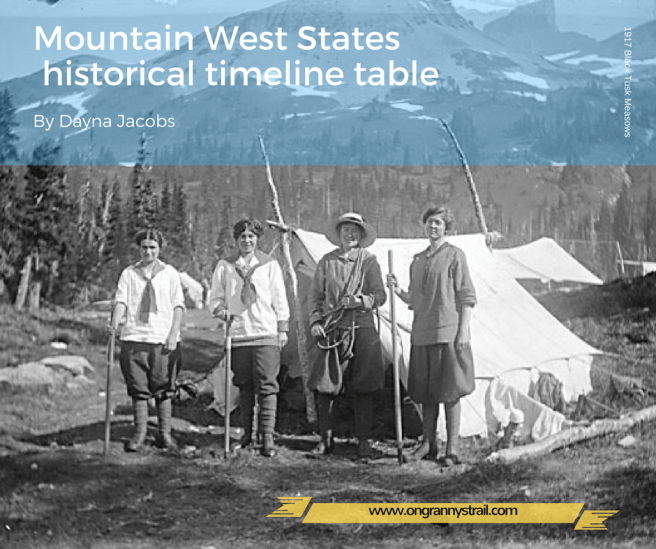
Here is a reference table to help you see at a glance when each state in the Mountain West was first a territory and then a state. I have also added a column for history which gives some key dates in each state’s history. Feel free to copy this table for your own use.
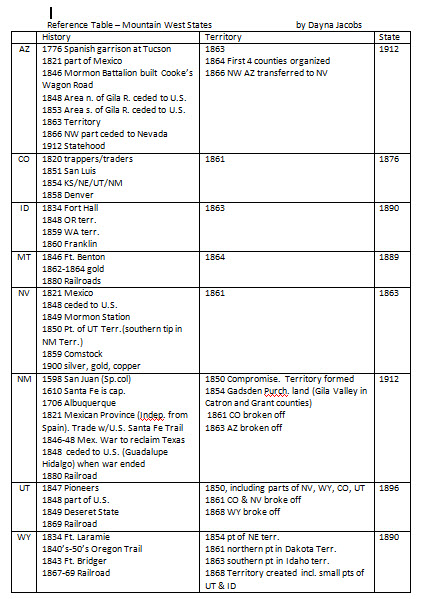
After you have pinpointed where your ancestor was living, working, or passing through at a given time, it is important to find out what country/state/ territory/county had jurisdiction in that locality on that date. That will tell you where the records can be found—or at least who was creating the records. You may be surprised to find that Arizona ancestor in New Mexico territorial records, or that Nevada ancestor in Utah territorial records. And Colorado ancestors? Take your pick of Nebraska, Kansas, Utah, or New Mexico territories…
Stay tuned for some advice on where to look for the records, especially territorial records—an important record group for research in any western state. Click on the map link in the menu bar to access map resources which will be helpful in determining boundaries and jurisdictions.
 On Granny's Trail