Wild West Digitized: California records

Records for the Western States are being digitized and put online at a rapid pace, and it is an exciting time to discover more about your Wild West ancestors.  Familysearch (www.familysearch.org) is leading the charge in access to free records. The content comes from over 3 million microfilms at the Family History Library in Salt Lake City.

I will be posting lists of records they have made available for Western States research, but check back often because each week new collections come online. Here are some great resources for California research:
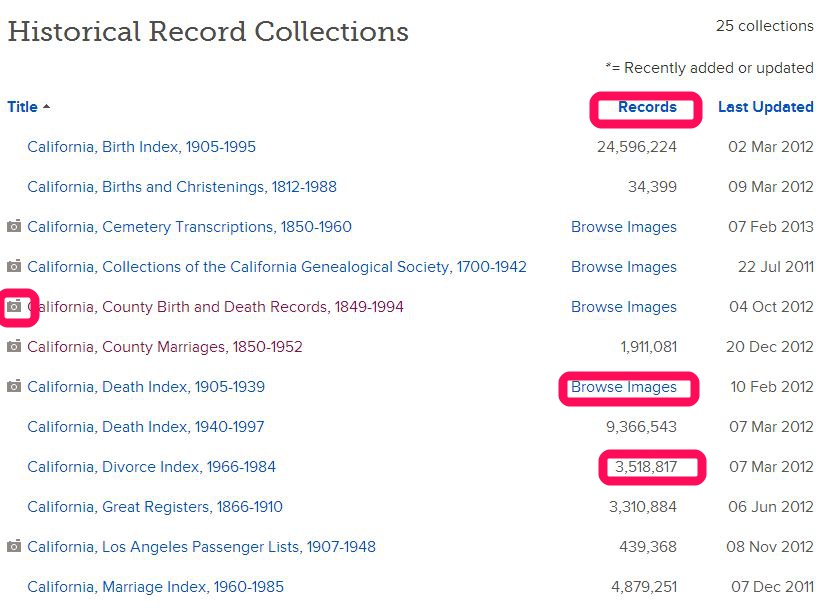
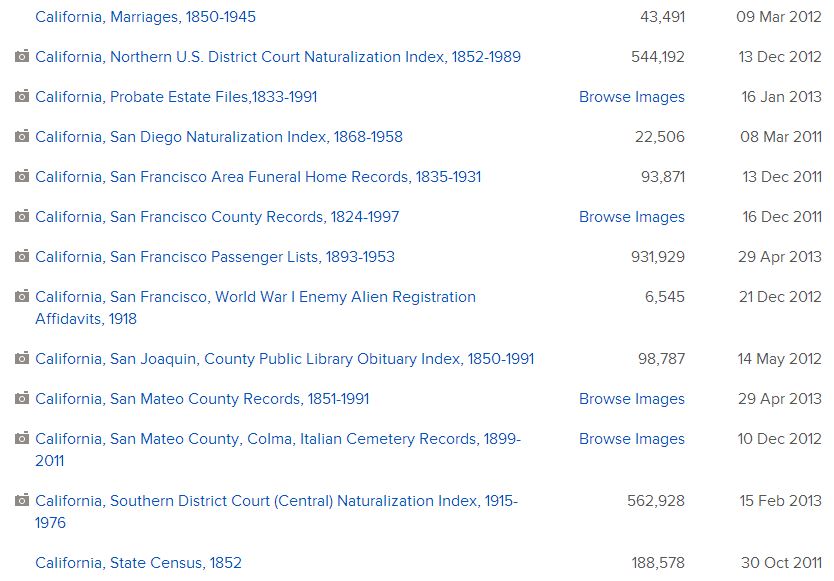
California Records on Familysearch.org as of 17 Jul 2013
California collections at Familysearch.org as of 17 Jul 2013

A camera icon means a digital image of the actual record is available.

“Browse Images” means the collection has not been indexed yet, but it can be searched. Don’t let that scare you off.  The collections are usually organized in a way – alphabetically or chronologically – that helps you find what you are looking for.

A number in the “records” column means the collection has been indexed and is searchable through the search template.

No camera icon means there are no digital images of actual records, but you will see an abstract of most pertinent information contained in the record.

And here’s a tip for you:  Click on the column headings to sort by

1) Title

2) Number of records in the collections

3) Date the collections were updated

This is handy if you just want to know when the latest additions to the collections were made, or what is completely new.  You can also see which collections are the largest and which have recently been indexed.

One of my go-to collections for California is the California Birth Index, 1905-1995, because it provides the mother’s maiden name:
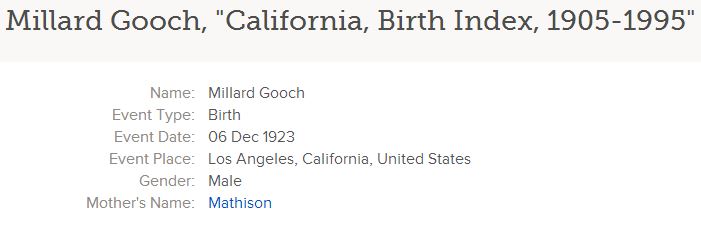
California Birth Index, 1905-1995, on Familysearch.org, Millard Gooch entry

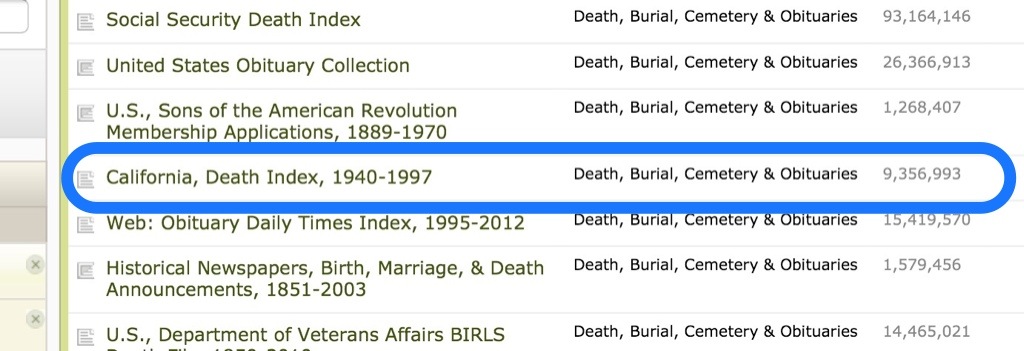
I also like the California Death Index, 1905-1939.  Did you know Ancestry.com only has the CA Death Index, 1940-1997?  Most people don’t realize the Familysearch record goes all the way back to 1905.  It is not indexed yet, but is arranged alphabetically.  Here is what it looks like:

CA Death Index, 1905-1939, on Familysearch.org

And Matilda Lurch is nearly as good a name as Millard Gooch, don’t you think?  Good thing they didn’t marry!

To find these records on Familysearch.org, click on “Search“:

FS records search

And at the bottom of the page click on “United States” and then California:
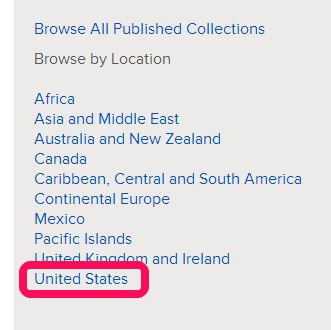
FS records search 2

Stay tuned for lists of other states’ digitized records found on Familysearch.  I know I have been blogging a lot about FS recently, but there is a lot going on there I want to share with you. Ahhh, so much to learn!

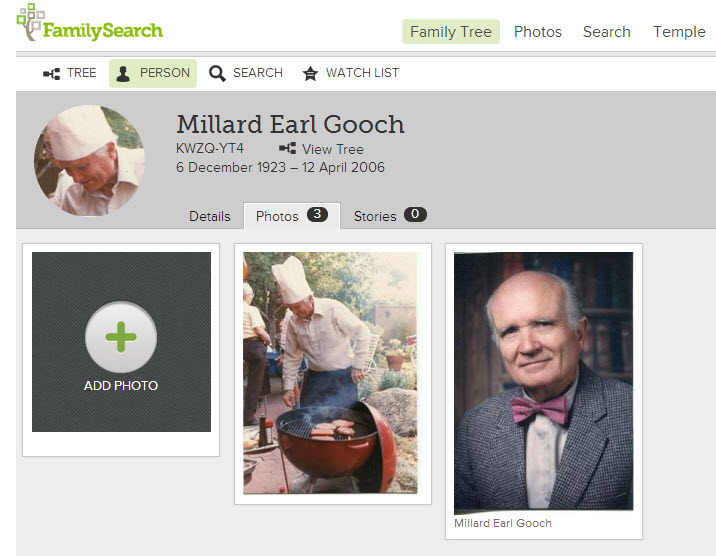
Give Familysearch Family Tree Photos a Try

So have you tried out Familysearch’s Family Tree since my last post?  I hope you have started (or discovered!) your family tree.  If so, now you can start to add photos to your tree.

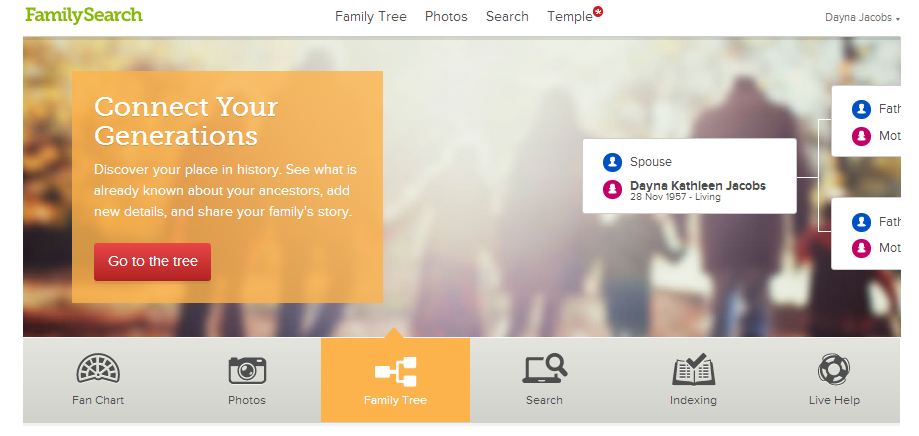
Familysearch 1

It’s easy to add photos, tag them, and share them.

Familysearch 8

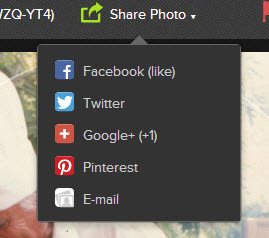
You can select a photo and share it in a variety of ways…

familysearch 9

I like how you can add stories about a photo and record details, too.

Familysearch 6

What makes this extra valuable is when someone who shares ancestors on your tree adds a photo to their tree, it shows up on yours.  I would love to find a photo with a story attached when I open my tree!

And this is a fun feature…”Find photos of your ancestors”.

Familysearch 11

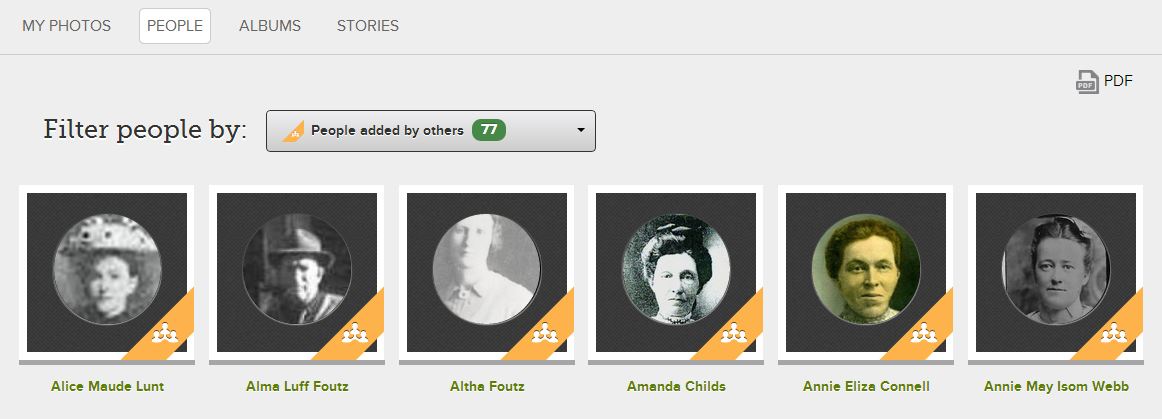
Click on it and see a gallery of photos submitted by others:

Familysearch 14

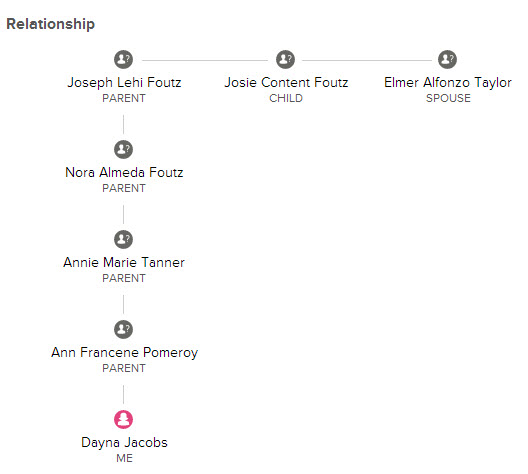
If you see a picture of someone you don’t know named Elmer, just click on Relationship and it will show you a little chart that illustrates he is the husband of your great-great grandfather’s daughter:

Familysearch 13

So there are just a few reasons for you to try out the “photo” feature of Familysearch’s Family Tree.  Give it a try and let me know what you think!

Do you have a Family Tree on FamilySearch.org?

Create a Family Tree on FamilySearch.org

This year FamilySearch unveiled the newish Family Tree, available on FamilySearch.org.  I say newish because it was available in a clunkier beta version, but not for the general public. Now everyone can have one, and it’s FREE (forever).  Go ahead and register on FamilySearch, and start your tree today.

FS Family Tree
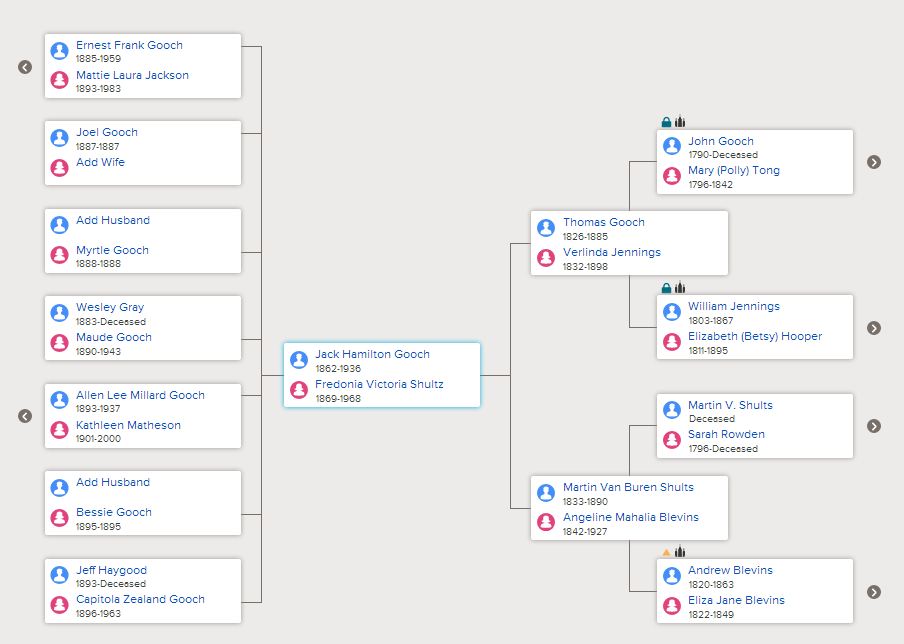
This shows my great-grandfather in the center, but you can view it with anyone in your tree as the center. Descendants (children) are on the left, and ancestors are on the right. Click the little arrows to expand the generations.

If you are LDS and you log in with your LDS Account you will be surprised to see your family tree already exists!  If you are the only person in it, it may be because your parents are still living.  As soon as you connect someone who is deceased to your tree, everyone connected to them in the database will populate your tree.  It’s pretty awesome, actually.  If you are related to me, and you connect to my tree, everything in my tree will populate yours.  In other words, my siblings are in LUCK!

I love the fan chart feature:

FS fan chart
Just click on any name to make it the center of the fan chart. See at a glance which of your lines need work. Notice the blanks?

Why should you create a Family Tree if you already have a tree on another site, like Ancestry.com? 1. It’s free, 2. You can connect any historical record on FamilySearch to any individual in your tree, 3. It is set up to be collaborative – anything your cousins add will show up on your tree. 4.  You can easily add and share photos and stories, including the ability to email or post on social media sites, 5.  It is the easiest way you will ever find to share your genealogy with your children and grandchildren (unless you think they will actually want your boxes of stuff).

Some people don’t like the collaboration feature, but I say that is what trees on other sites are for.  This tree is meant to be a group effort, and I will be happy to see records, photos, and stories appear on my tree when they are added by cousins.  I don’t want to duplicate anyone’s research, and want to give others a leg up on their research by adding my research to the tree.

Stay tuned for a glimpse at the Photos and Stories feature on Family Tree… you will like it a lot!

Using Ancestry.com card catalog search for maximum efficiency

As Ancestry.com adds more and more collections to its website I find folks either 1) have more luck in finding their ancestors or 2) feel overwhelmed by their search results and give up sooner. Others just rely on the “shaky leaf” hints to find records. The problem with this is not all of the 31,000+ databases are part of the shaky leaf hint system. Did you know that?

And if you rely solely on Ancestry’s general search results you will likely miss that small database which has your record, because it will show up at the end of a very long list of results. That’s because results are ranked according to things like number of records in a database, and the biggest ones are at the top of the list.

For a more professional and accurate approach to searching, add the Ancestry Card Catalog to your methodology. This will quickly show you which records for a given locality are available on Ancestry, and allow you to narrow your search to a specific collection or database.

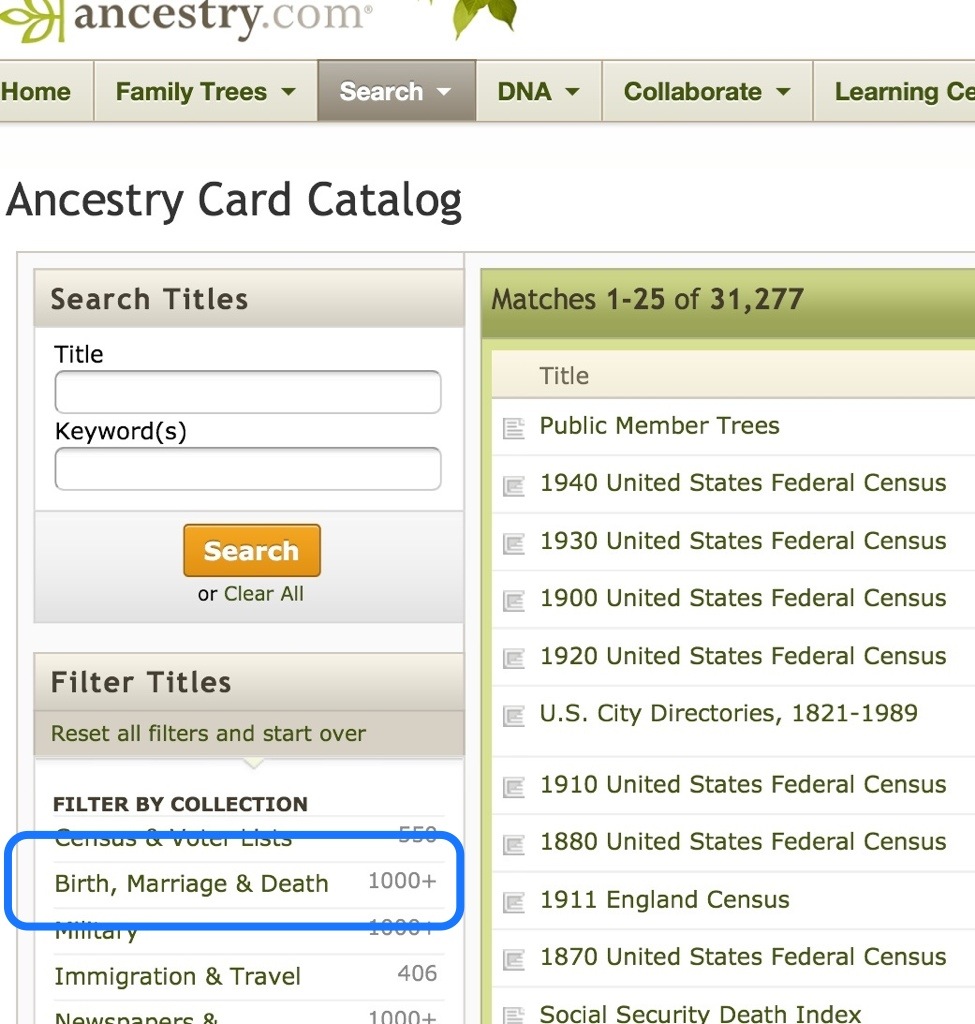
In Card Catalog you can use the “Title” or “Keyword” search, but leaving those blank and using the filters below can be even more effective. Here’s how:

1. Select Card Catalog from the Search drop-down list
2. Filter by collection (e.g. Birth, Marriage, and Death)
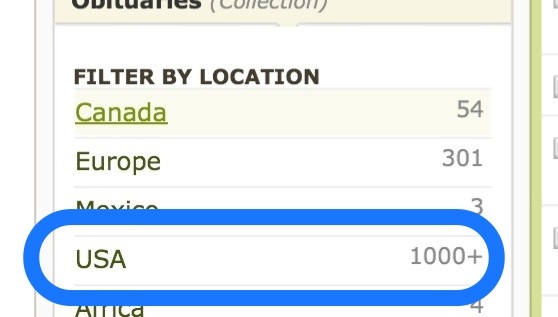
3. Filter by location (you can further filter by time period if you want)
4. Select a database
5. Search within the database

When you search within a database, notice that search fields unique to that database appear, allowing you to be creative with your searching. Here’s a look at some screen shots for a Card Catalog search:

20130508-094931.jpg

20130508-095020.jpg

20130508-095033.jpg

20130508-095050.jpg

20130508-095109.jpg

20130508-095119.jpg

20130508-095125.jpg

Another effective search strategy on Ancestry.com is the use of Place Pages, which I will cover in another post. I hope you have some luck with the Ancestry Card Catalog. Let me know what you find!

Learn Almost Anything for Free

Well, that’s what they claim  anyway at the non-profit Khan Academy online. They are on a mission to make learning available to anyone, anywhere, for free. So far I am impressed with this innovative website, where anyone can be instructed in topics ranging from Math and Science to History and Economics.  They currently have over 4,000 video lessons available.

Schoolhousevineyard
Photo credit schoolhousevineyard.com

They call themselves a “One World Schoolhouse”, or a global classroom, and that is pretty accurate.

For genealogists, the history lessons are so helpful, and they are offered for both United States and European History, as well as Ancient and Midievel, for those of you crazy genealogists who think you have traced your ancestry back to Adam 🙂

I just watched an 18 minute video overview of U.S. History from Jamestown to the Civil War, where my screen was filled with a virtual whiteboard where the teacher diagrammed a timeline, accompanied by maps and pictures.  It was so informative! I highly recommend it. I enjoy multi-media learning and tend to retain it better, and sometimes an overview can put things into perspective in a way that can lead me to new ideas for research.

learning onlineThere are a bunch of lessons I am looking forward to, and it’s a much better use of time than watching American Idol… but there’s nothing stopping me from doing both things at the same time, now is there?